
Athlete Management
Every athlete’s training, one glance away.
EndoGusto keeps every athlete’s training, feedback, and progress in one view, so nothing slips between sessions.
No credit card required
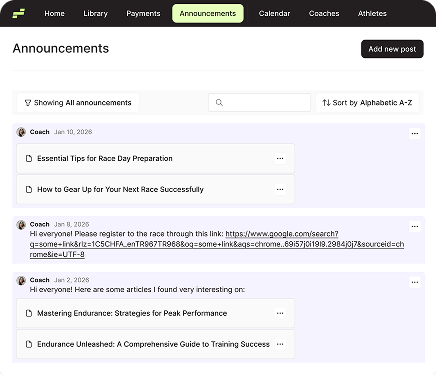
Announcements
Post announcements to your whole roster or specific groups. One message, everyone’s in the loop.
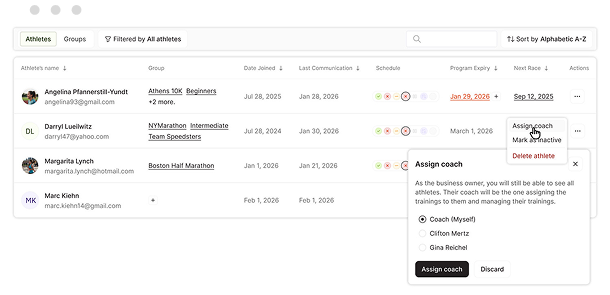
Additional Coaches
Bring on additional coaches and split the workload. Grow your business without outgrowing your tools.
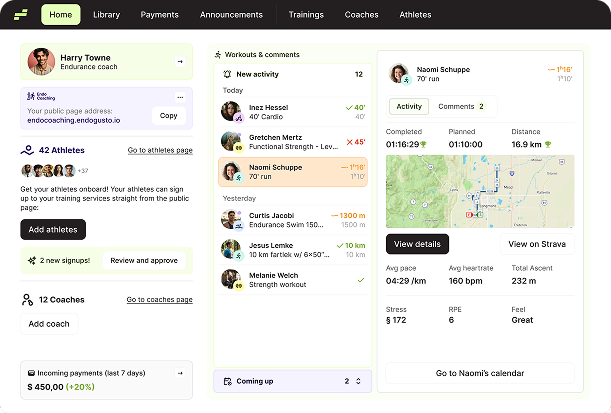
Central Athlete Management Dashboard
One screen, every athlete. See who trained, who didn’t, and who needs attention, all at a glance.
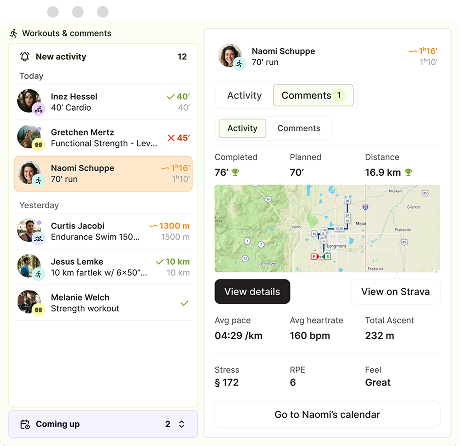
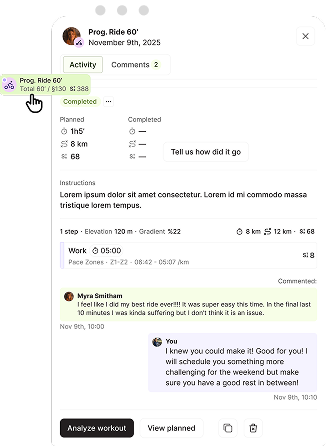
Workout Feedback & Comments
Leave feedback on any workout, before or after. Athletes know exactly what you expect and what you thought of their session.
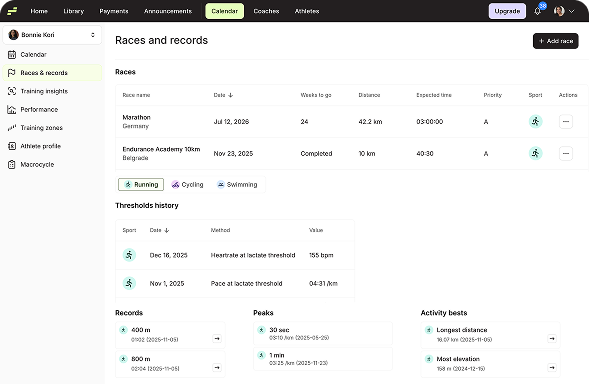
Athlete Race History & Records
Keep every race result, personal record, and threshold improvement in one place. Historical data included, so you can see how far they’ve come.
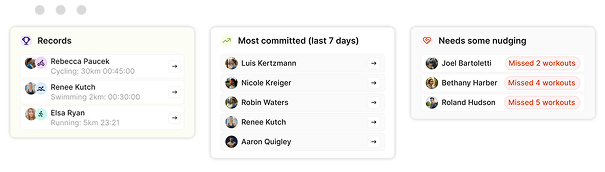
Athlete Progress & Commitment Tracking
See who’s following the plan and who’s drifting. Completed, partial, unplanned, and missed workouts, all tracked over time.
Notes & Communication
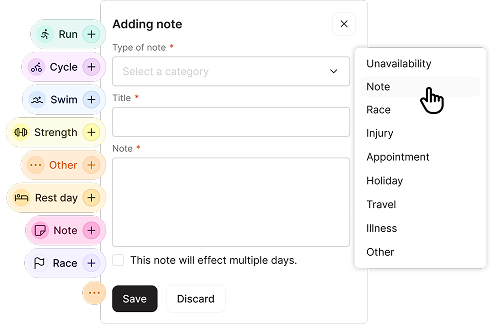
Calendar Notes
Post notes to any day on the calendar. Flag race weeks, travel days, or anything athletes need to keep in mind.
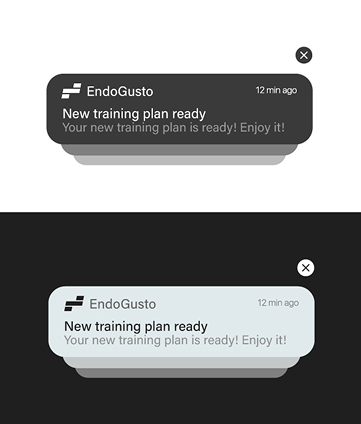
Push Notification System
Real-time push notifications that respect time zones. Athletes get updates when it matters, not at 3 AM.
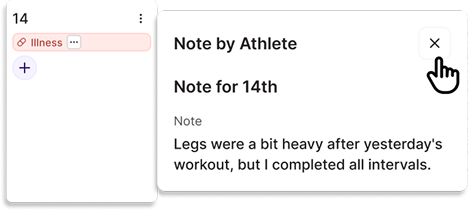
Athlete Notes
Injuries, health flags, and personal notes, all stored in the athlete profile. The context you need about each.
Roster Management
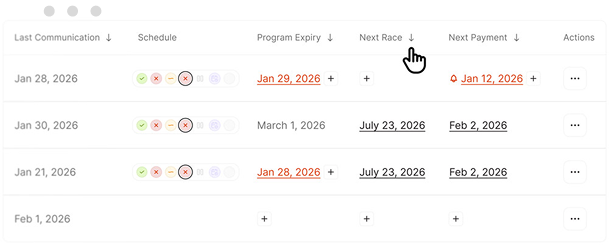
Athlete Filtering Tools
Filter your roster instantly. Who missed a session? Who’s off track? Find out without scrolling through every calendar.
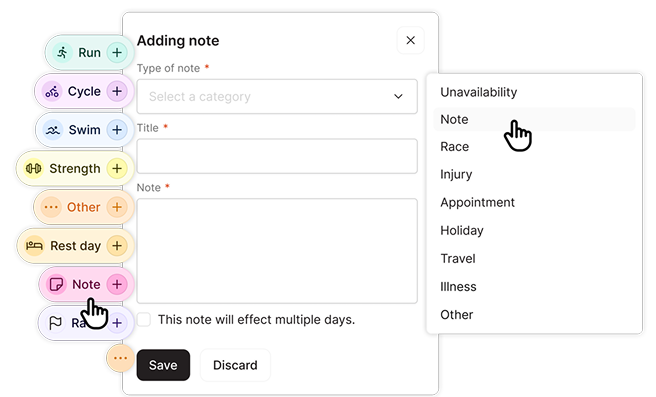
Athlete Availability & Status Management
Athletes flag their availability, injuries, or time constraints directly. You plan around real life, not assumptions.
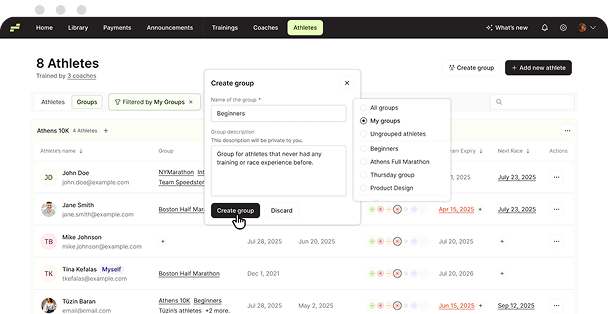
Athlete Grouping
Organize athletes into custom groups for faster communication, targeted announcements, and easier management as your roster grows.
Athlete Tools
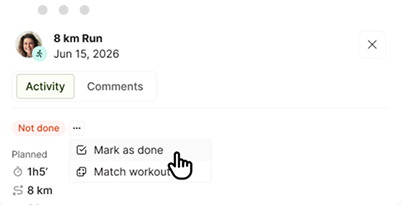
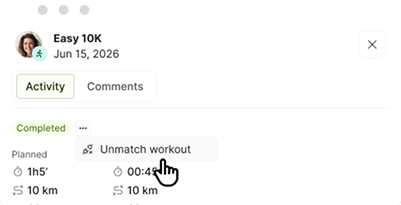
Match-Unmatch Workouts
Manually match and unmatch workouts to assigned activities when auto-matching doesn’t get it right. You stay in control of every athlete’s training log.
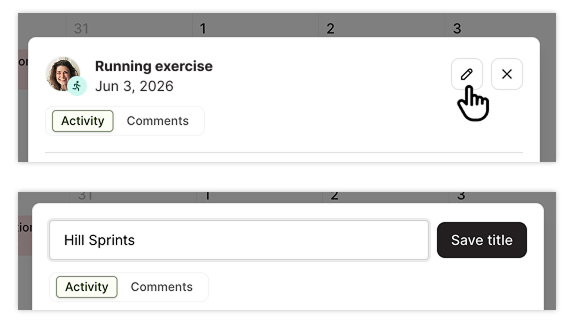
Workout Title Editing
Athletes can edit titles on their unassigned workouts, so you know exactly what work was done.
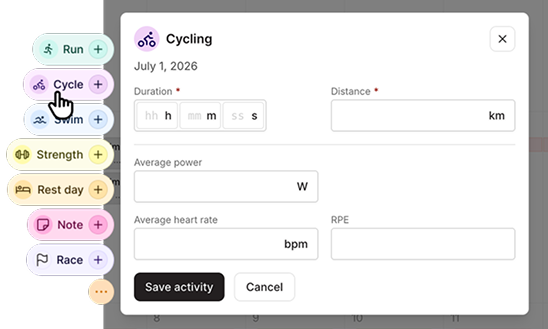
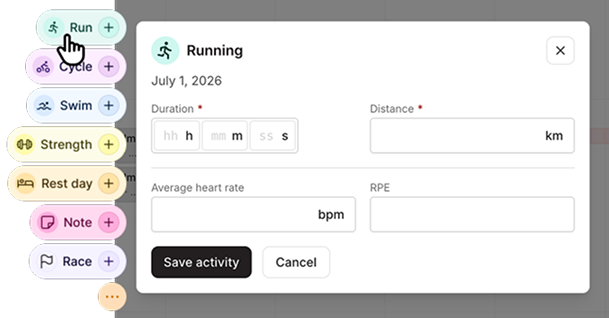
Manually Activity Logging
Athletes can log activities manually or mark workouts as done, even without a GPS watch.
Frequently Asked Questions
Can I import my athletes from another platform?
Yes — our support team can help import your athletes and training data from other platforms or spreadsheets for you. We handle the process manually to ensure all your information is transferred safely and accurately for a smooth transition to EndoGusto.
Can I manage multiple coaches or assistants under one account?
Yes — EndoGusto supports multi-coach setups so you can collaborate and manage your coaching team efficiently.
How can I manage my coaching business and payments in EndoGusto?
You can assign payment plans and manage your payments in the Payments section.
How do I add a new athlete to my roster?
From the Dashboard, click Add Athlete, and fill in their name and email and they will be automatically added to your roster.
How do I remove or deactivate an athlete from my team?
On the Athlete tab, select the athlete and choose delete athlete.